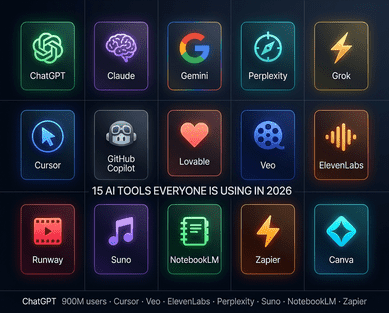
Google Just Handed Students One of the Most Valuable Free AI Bundles in History
If you are a university student in Bangladesh and you have an educational email address, Google has been giving away something remarkable: a full year of Google AI Pro — the company's premium AI subscription worth $240 — completely free, to verified students worldwide. Bangladesh is explicitly on the eligibility list. The offer runs through SheerID verification, takes under ten minutes to complete, and gives you access to tools that professional researchers, developers, and content creators pay for every month.
This is not a watered-down student edition. It is the full Google AI Pro package — Gemini Pro, Deep Research, NotebookLM, video generation via Veo, AI integration across Google Docs, Sheets, Slides, and Gmail, plus 2 terabytes of cloud storage. For Bangladeshi students navigating coursework, thesis research, coding projects, and job applications, this is the most powerful free productivity toolkit available anywhere in 2026. WinTK covers every major AI tool and student resource relevant to Bangladesh's digital generation, and this one is worth claiming before it changes.
AI Is Replacing Entry-Level IT Jobs in Bangladesh: What BPO Workers and Fresh Graduates Must Know
What Is Google AI Pro — and Why Does It Matter?
Google AI Pro (previously called Google One AI Premium) is Google's flagship AI subscription. It replaced the older Gemini Advanced branding and now serves as the unified gateway to Google's most powerful AI ecosystem.
At $19.99 per month for regular subscribers, Google AI Pro includes access to Gemini 3.1 Pro — Google's most intelligent model, with Deep Research, image generation with Nano Banana Pro, video generation with Veo 3.1 Fast, higher access to Gemini 3 Pro in Google Search with Deep Search, agentic capabilities, and the latest experiments in Search Labs, plus 2 TB of storage across Google Drive, Gmail, and Photos.
The student offer hands all of this to verified students at no charge for a full year. The Google AI Pro Student Offer includes Gemini Pro (Google's most capable AI model), Veo 3 and Flow (AI video and workflow tools), NotebookLM (AI note-taking assistant), AI Studio (Custom AI project builder), plus AI integration across Google Docs, Gmail, Slides, and even Google Meet.
For context, this is what you would normally pay $240 to access. Bangladesh is confirmed as an eligible country. Google's official terms explicitly list Bangladesh among the eligible countries for the Google One student offer. This is not a workaround or a grey-area hack. Bangladesh is on the list. Bangladeshi students qualify. 2 has a growing thread of Bangladeshi students sharing their signup experiences and tips.
EU Passes Deepfake Ban: New AI Law Criminalizes Sexually Explicit AI-Generated Images
What You Actually Get: Every Feature Explained
Let us walk through every major component of Google AI Pro and what it means for a Bangladeshi student's daily academic and professional life.
Gemini 3.1 Pro — The AI Brain of the Whole System. This is Google's most capable publicly available model. With a 1-million-token context window, the Gemini app in Pro can handle large amounts of data and multiple files in the same prompt, allowing for targeted studying and identifying areas where you need more practice. What this means in practice: you can upload your entire textbook — or multiple textbooks — into a single conversation and ask Gemini to explain concepts, generate practice questions, compare chapters, or summarise entire sections. The 1-million-token window is equivalent to roughly 1,500 pages of text or 30,000 lines of code. No more reading chapter by chapter to find one formula.
Deep Research. With the Gemini app in Pro, Deep Research automatically browses and analyses up to hundreds of websites in real-time, giving you comprehensive research reports on nearly any topic in minutes and saving you hours of time on school, work, or personal projects. For thesis writing, literature reviews, and academic research, this is transformative. You give it a topic, it browses hundreds of sources, and returns a comprehensive, cited report. What used to take a library afternoon now takes minutes.
Grok AI Banned: How the Deepfake Scandal Led to a Worldwide Crackdown on Elon Musk's Chatbot
NotebookLM — Your Personal AI Research Assistant. NotebookLM is one of Google's most loved tools among students and researchers. Google AI Pro provides higher NotebookLM limits: up to 500 notebooks versus 100 on the free plan, 300 sources per notebook versus 50, and 500 chat queries per day versus 50. You upload your course materials, lecture notes, PDFs, and readings. NotebookLM creates a private AI that understands everything you have given it and answers questions based only on your sources — with citations. For exam preparation, it turns your notes into custom quizzes, flashcards, and audio study guides (Audio Overviews) you can listen to anywhere. This is the tool that students who use it consistently say they cannot go back to studying without.
Veo — AI Video Generation. Google's Veo is its AI video generation model, now at version 3.1. Whisk Animate is a Google AI Pro feature that lets users transform generated images into short videos with Veo, with subscribers able to generate up to 100 videos per month. For students building portfolios, creating presentations, working on media projects, or developing content for coursework, Veo allows you to describe a scene in text and generate a short cinematic video from it. This was a paid professional tool six months ago.
AI Integration Across Google Workspace. Every Google app you already use — Docs, Sheets, Slides, Gmail, Meet — gets a Gemini AI layer built in. In Docs, you can ask Gemini to write, outline, refine, or summarise. In Sheets, it builds or edits entire spreadsheets from natural language instructions. In Slides, it generates presentation decks from your notes. In Gmail, it drafts, summarises email threads, and helps you write professional responses. If you are already living in Google's ecosystem, this upgrade fundamentally changes how fast you can work.
2 TB Cloud Storage. This alone is worth noting: 2 terabytes of Google One storage across Drive, Gmail, and Photos. Bangladesh's typical university student has almost certainly hit storage limits at some point. This removes that constraint entirely for a full year.
Who Qualifies: The Eligibility Requirements
Google is specific about who can claim the student offer. Meeting all requirements is necessary — missing any one of them will cause the application to fail.
You must be at least 18 years old. There are no exceptions to this. Even if your university has admitted you at 17, you cannot access this offer until your eighteenth birthday. You must be enrolled at an accredited higher education institution — university or college — that is recognised in SheerID's database. Most major Bangladeshi universities are in the database, including public universities like Dhaka University, BUET, Chittagong University, Rajshahi University, and major private universities like BRAC, NSU, AIUB, and DIU. If your institution does not appear automatically, you can attempt manual verification with your enrollment documents.
You must use a personal Gmail account — not your university-issued Google Workspace email. Google Workspace for Education accounts — the school-provided accounts with your university's domain — do NOT qualify for this offer. The trial must be activated using a personal Gmail account, which is then verified against your student status. This is the most common point of confusion. Your university email is for identity verification through SheerID. The subscription goes on your personal Gmail.
You must add a valid payment method to your Google account. You will NOT be charged during the 12-month trial period, but the payment method is required for automatic renewal after the trial ends. For Bangladeshi students without international cards, this has been the practical barrier for many. Options include Visa or Mastercard debit cards with international transaction capability, virtual cards from services like Wise or RedDotPay, and in some cases PayPal where supported. The Programming Hero guide specifically mentions RedDotPay as a workable option for Bangladeshi students who do not have dual-currency cards.
You must not already have an active Google One subscription at a higher tier than the student offer. And you must not be part of a Google Family Group — you need to leave the family group first if you are in one, or use a separate personal account. 2 has published separate guides on managing Google account settings for Bangladeshi users.
Claude Opus 4.6 vs Sonnet 4.6: Full Comparison, Pricing, and Which Model Is Best for You
Step-by-Step: How to Claim Google AI Pro for Free
The process takes under ten minutes when everything is in order. Here is the exact flow.
Step 1: Make sure you are signed into your personal Gmail account on your device — not your university account. Open your browser and go to gemini.google/students or one.google.com.
Step 2: Click "Get student offer" or "Verify student status." You will be redirected to SheerID, the third-party service Google uses to verify student enrollment.
Step 3: In the SheerID form, select Bangladesh as your country and type your university name. If it appears in the dropdown, proceed. If it does not appear, type the full formal name of your institution. Enter your name exactly as it appears on your student ID.
Step 4: SheerID offers two verification methods. Method A (fastest): If your university has a student portal, SheerID may offer direct login to verify instantly. Method B (upload): Upload a photo of your student ID, current class schedule, or a recent tuition receipt showing your name and the current semester. If you choose to upload your document, proof of enrollment is manually reviewed and can take up to 48 hours to verify. You will get an email once verification is successful. Check your spam folder.
Step 5: Once SheerID verifies your status, you will be redirected back to Google One. Click "Get student offer."
Step 6: Add your payment method. You will not be charged now. This card is only activated after the 12-month free period ends, unless you cancel before then. Set a calendar reminder for three weeks before your one-year anniversary to decide whether to cancel or continue.
Step 7: Complete the subscription through Google Play on your Android device, or through the web flow if prompted. Your Google AI Pro access activates immediately upon successful completion.
GPT-5.4 Released: 1 Million Token Context, Computer Use and Everything You Need to Know
What To Do If You Hit Problems
The most common problems and their solutions are worth knowing before you start.
If your university does not appear in SheerID's dropdown, try the full formal name — "University of Dhaka" rather than "Dhaka University," for example. If it still does not appear, contact SheerID support at customerservice@sheerid.com and request your institution be added. Alternatively, proceed with document upload verification.
If you get a message saying the offer is not available in your region, check that your Google account's registered country matches Bangladesh, and that your billing address aligns. If your account has been set to another country region, this can trigger the regional restriction message.
If you do not have an international payment card, this is the most common practical barrier. RedDotPay Bangladesh offers a USD-supported virtual card. The signup is online, Bangladesh-friendly, and the card works for this specific purpose. Wise debit cards also work if you have access to register one.
If you are currently in a Google Family Group, you must leave it before claiming the student offer. The student offer is an individual subscription only. 2 has covered similar account management tips for South Asian Google users that apply equally to Bangladeshi students.
The Smart Way to Use Google AI Pro Once You Have It
Getting the access is step one. Using it well is what actually changes your academic and professional trajectory.
For coursework and exams: Upload all your course materials — lecture slides, readings, past exam papers — into NotebookLM. Create a notebook for each subject. Ask it to explain concepts you do not understand, generate practice questions, or create a podcast-style Audio Overview you can listen to during your commute. This single habit, consistently applied, is worth more than any study technique you learned in secondary school.
For thesis and research writing: Use Deep Research to generate comprehensive literature reviews on your topic before you begin writing. Feed it your research question, let it browse hundreds of sources, and return with a structured report including citations. Use Gemini in Google Docs to help you structure your argument, refine your prose, and check consistency across chapters. The 1-million-token context window means you can paste your entire thesis draft and ask Gemini to review it holistically.
For coding and technical projects: Google AI Pro includes access to Gemini Code Assist with higher usage limits. Whether you are debugging Python scripts, learning JavaScript, or building Android apps, Gemini can explain errors, suggest fixes, generate boilerplate code, and help you understand concepts that your textbook or tutorial glosses over. Gemini can also help with code generation and debugging for major languages such as Python, JavaScript, and Java.
For career preparation: The AI integration in Gmail means you can draft professional emails, application letters, and internship requests with Gemini assistance. Gemini in Google Slides means you can generate presentation decks for interviews and project pitches faster than any manual approach. Use Deep Research to prepare for company research before interviews.
The students who will benefit most from Google AI Pro are not those who treat it as a novelty. They are those who integrate it into every major academic task — study, research, writing, coding, presentation — and develop the habit of using it as an active collaboration partner rather than an occasional search engine replacement. 2 covers how students globally are using these tools to gain competitive advantages in their academic and professional lives.
The Bigger Picture: Why This Matters for Bangladesh's Digital Generation
Google's decision to include Bangladesh in this student offer is not incidental. Bangladesh has one of the youngest and most digitally engaged populations in South Asia. The country's freelance economy, its growing software export sector, and the ambition embedded in the Smart Bangladesh 2041 vision all depend on a generation of graduates who can work with advanced AI tools as fluently as earlier generations worked with spreadsheets.
A student who spends their entire university career with access to Gemini Pro, Deep Research, NotebookLM, and Veo will graduate with a fundamentally different relationship to AI than one who only encounters these tools after entering the workforce. The productivity gap between AI-fluent graduates and those without that fluency will widen significantly over the next three years. This offer is a chance to be on the right side of that gap, at no cost, starting right now.
For Bangladesh's estimated 40 million-plus student population — a significant proportion of whom are university-aged and digitally active — this is not just a free subscription. It is a developmental infrastructure investment that Google is making in this generation of learners. For regular updates on free AI tools, student resources, and technology opportunities relevant to Bangladesh, 2 is your daily destination.