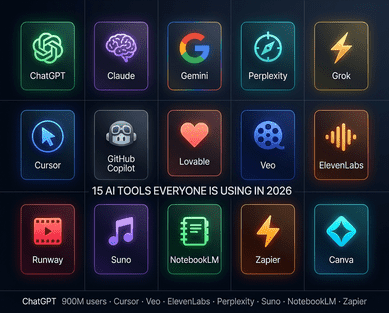
The 10 Free AI Tools That Every Bangladeshi Student Needs in 2026
If you are a student in Bangladesh and you are not using AI tools yet, you are spending three to five times longer on tasks that your classmates are completing in minutes. That is not an exaggeration. The students who have integrated free AI tools into their study routines are producing better assignments, studying more effectively, preparing for exams more efficiently, and building a digital skill set that employers and graduate schools increasingly expect from 2026 graduates.
The good news: every tool on this list is free to use, works on a standard smartphone or laptop, and requires no technical background whatsoever. Bangladesh has reliable access to all ten. Whether you are studying at Dhaka University, BUET, a national university college in Rajshahi, or an HSC programme anywhere in the country, these tools are available to you right now.
This list is built around one principle: actual usefulness for Bangladeshi students, not just global hype. 2 has evaluated each tool specifically for how well it serves students studying in Bangladesh — accounting for internet conditions, device limitations, and the specific academic tasks that dominate student life here.
How Bangladeshi Freelancers Are Using AI to Earn More on Upwork and Fiverr in 2026
1 — Google NotebookLM: Your Personal AI Tutor Built from Your Own Notes
Best for: Exam preparation, thesis research, lecture note organisation
Free plan: 100 notebooks, 50 sources per notebook, 3 Audio Overviews per day
Access: notebooklm.google.com (Google account required)
NotebookLM is the single most powerful free AI tool available to students in 2026 — and it is also the least understood. Here is what makes it different from everything else: NotebookLM is grounded only in the information you provide. Upload your course materials and generate summaries, study guides, and quizzes — all with in-line citations to ensure accuracy. It does not pull from the internet. It does not hallucinate facts from outside your sources. Every answer it gives you is traceable back to something in your uploaded materials.
In practice, this means you can upload your entire semester's lecture notes, reading lists, and past exam papers into a NotebookLM notebook, and then have a conversation with that material. Ask it to explain a concept from your lecture. Ask it to quiz you on a chapter. Ask it to compare two theories from different papers. Ask it to summarise what your professor covered in weeks three through seven.
The Audio Overview feature is especially valuable for Bangladeshi students who commute long distances. Audio Overviews turn your sources into podcast-like audio summaries where two AI hosts discuss, debate, and summarise your class materials — which you can listen to on the bus, during meals, or while commuting. It turns dead time into study time. The free plan allows users to create up to 100 notebooks, each capable of holding 50 sources, with daily limits on queries and audio summaries that are generally sufficient for most students.
NotebookLM is available in over 200 countries and supports content in over 50 languages, including Bengali. Bangladesh has full access. Start at notebooklm.google.com.
Google AI Pro Is Free for Bangladeshi Students: How to Claim It With Your Edu Email
2 — ChatGPT: The Always-Available Study Partner for Every Subject
Best for: Concept explanation, essay brainstorming, problem-solving, coding help
Free plan: Limited daily messages with GPT-5.4 mini model
Access: chat.openai.com (free account required)
ChatGPT needs no introduction, but how to use it well as a student does. The free version of ChatGPT in 2026 runs on GPT-5.4 mini — a model that is genuinely capable for academic purposes, even if the paid version goes further. ChatGPT serves as an always-available study companion that can help students brainstorm ideas, draft essays, solve problems, and understand difficult concepts across virtually any subject, with a conversational interface that responds to natural language questions and cross-subject expertise covering everything from literature analysis to mathematical problem-solving.
For Bangladeshi students, the most powerful use cases are: explaining textbook concepts in simpler language, generating practice questions for exams, helping debug code for CSE and engineering students, drafting essay outlines before you start writing, and translating complex English academic language into clearer explanations.
One critical tip: never copy ChatGPT output directly into your assignments. Use it as a thinking partner, not a ghostwriter. Ask it to explain something five different ways until you actually understand it. Ask it to generate ten practice questions on a topic and then try to answer them yourself. That is how ChatGPT makes you a better student rather than a student who submits AI-generated work they do not understand.
AI Is Replacing Entry-Level IT Jobs in Bangladesh: What BPO Workers and Fresh Graduates Must Know
3 — Google Gemini: The Most Powerful Free AI for Google Workspace Users
Best for: Research, Google Docs and Slides integration, multimodal tasks
Free plan: Generous free tier with Gemini 3.1 Flash; student plan (1 year free) still active for verified students
Access: gemini.google.com
Google Gemini's free tier is powerful for everyday academic work. But for Bangladeshi university students, the more important news is the Google AI Pro student offer — a full year of Gemini's premium capabilities, including the 3.1 Pro model, 2 TB of Google Drive storage, enhanced NotebookLM features, and AI integration across all Google Workspace apps, at no cost for verified students. (See our full guide on the student offer at WinTK Community.)
Even on the free tier, Gemini is exceptional for students already living in Google's ecosystem. Gemini works inside Google Docs to help you write, outline, and refine your assignments without switching tabs. It works in Google Slides to help you build presentation decks. It works in Gmail to help you write professional emails to professors and potential employers. If your university work happens in Google Drive, adding Gemini to that workflow is the fastest productivity upgrade available at zero cost.
EU Passes Deepfake Ban: New AI Law Criminalizes Sexually Explicit AI-Generated Images
4 — Grammarly: The AI That Makes Your English Assignments Professional
Best for: English writing quality, grammar correction, academic tone
Free plan: Grammar and spelling checks, basic suggestions; 300 documents or 150,000 words per month
Access: grammarly.com (browser extension or web app)
For Bangladeshi students writing assignments, thesis chapters, or application letters in English, Grammarly is the most practical daily tool on this list. It works as a browser extension that checks your writing in real time across Google Docs, Gmail, any web form, and social media. Every sentence you type gets immediate feedback on grammar, spelling, clarity, and tone.
Grammarly is quite accurate at analyzing language patterns, pointing out errors, and offering useful suggestions for correcting them. For a student who wants to improve their grammar and create error-free documents for school and college submissions, Grammarly is indispensable. The free plan covers the core functionality that most students need — grammatical accuracy and spelling — while the premium tier adds more advanced style and clarity suggestions.
The practical impact for Bangladeshi students is significant. English-language assignments that previously received feedback about grammar errors can be cleaned up before submission. Emails to professors, scholarship applications, and job application cover letters that previously had to be proofread manually can be checked instantly. This is one of the tools that levels the playing field most directly between non-native and native English speakers. Install the Chrome extension, link it to your Google account, and it runs quietly in the background on every platform you use.
Grok AI Banned: How the Deepfake Scandal Led to a Worldwide Crackdown on Elon Musk's Chatbot
5 — QuillBot: The AI Writing Assistant for Paraphrasing and Research Synthesis
Best for: Paraphrasing research sources, summarising long articles, citation generation
Free plan: Two paraphrasing modes (Standard and Fluency), summariser, grammar checker, citation generator; limited word count per session
Access: quillbot.com
QuillBot serves a specific need that Grammarly does not: helping you incorporate ideas from source material into your own writing without direct copying. When you are writing a research paper or thesis and need to reference a concept from an academic paper, QuillBot helps you rephrase it in your own words while preserving the meaning.
QuillBot's paraphrasing engine offers multiple modes — Standard, Fluency, Formal, Academic, Creative, Expand, and Shorten — letting you adjust the output to match the register your assignment requires, with the Academic mode particularly useful for formal papers. The summariser function is equally practical: paste a long academic article, and QuillBot condenses it into the key points you need for your notes or literature review.
The free plan also includes a citation generator — which is one of the most time-consuming parts of academic writing that students almost never need to do manually anymore. On the free plan of QuillBot, you get access to 23 languages and two paraphrasing modes, along with Grammar Checker, CoWriter (writing assistant), Summarizer, and Citation Generator. For Bangladeshi students writing in English with Bengali as their first language, QuillBot is one of the most important tools for developing academic writing confidence. 2 has a frequently updated guide on using QuillBot effectively without academic integrity violations.
6 — ChatPDF: Ask Questions About Any PDF Instantly
Best for: Textbook navigation, research paper analysis, lecture PDF review
Free plan: Upload PDFs up to 10MB, limited questions per day
Access: chatpdf.com
Every student in Bangladesh has experienced the same problem: a 200-page textbook chapter to read before tomorrow's exam. ChatPDF directly addresses this. Upload any PDF — a textbook chapter, a research paper, a lecture slide set — and ask it questions directly. "What is the main argument of chapter three?" "Explain the difference between these two concepts in simple terms." "Give me a summary of section four in bullet points."
For students who need to revise lengthy PDFs quickly, ChatPDF is a game-changer. Upload your PDFs and ask specific questions, and it provides precise answers. The latest version supports multi-document cross-search, table extraction, and improved citation parsing. It provides page citations alongside its answers, which means you can verify everything it tells you by going directly to the source.
The most effective use is not to replace reading entirely — it is to orient yourself in long documents before reading them closely. Use ChatPDF to understand the structure and main arguments of a paper first, then read the relevant sections carefully. This is how researchers and professionals actually work with dense material, and it dramatically reduces the time it takes to process academic content. Bangladesh students studying for competitive exams like BCS, bank job written tests, or university admission exams can also upload their preparation materials and use ChatPDF as a personalised question-answer tutor.
7 — Canva AI (Magic Studio): Presentations and Visual Projects Without Design Skills
Best for: Presentations, posters, social media projects, class assignments requiring visuals
Free plan: Generous free tier; Canva for Education is completely free for students with institutional email
Access: canva.com (free account) or canva.com/education
Almost every Bangladeshi student faces this at some point: a presentation due tomorrow, no design skills, and PowerPoint templates that look like they were made in 2005. Canva's AI tools — Magic Studio — change this entirely. Type a brief description of your presentation topic and your number of slides, and Canva generates a complete, professionally designed deck in under two minutes.
Canva for Education is free for many students and teachers and includes powerful AI features. Magic Studio can turn simple bullet points into a full presentation deck in seconds. Canva also includes Magic Write, an AI assistant that helps you brainstorm ideas for posters, brochures, or social media projects. For student clubs, academic project presentations, science fair posters, or any visual assignment, this is the fastest path from idea to polished output.
Canva's free tier already gives access to thousands of templates, free stock images, and basic design tools. The AI features in Magic Studio — generating images, creating design variations, removing backgrounds, and building presentations from prompts — layer on top of that. Students registered with a school email through Canva for Education get the full feature set at no cost. This is one of the highest-value free tools on this list for students who have avoided design work because they assumed it required professional skills. WinTK has documented how South Asian students are using Canva AI specifically for university project presentations.
8 — Gamma AI: Professional Presentations from a Single Prompt
Best for: Class presentations, project pitches, seminar slides
Free plan: 400 AI credits on signup (~10 full presentations); paid from $8/month
Access: gamma.app
Where Canva is a full design platform, Gamma AI is purpose-built for one thing: generating presentations from text prompts. The difference in speed is remarkable. Describe your topic in one or two sentences — "A presentation on climate change impacts in Bangladesh for my Environmental Science class, 10 slides, academic tone" — and Gamma generates a complete, visually polished slide deck with text, layout, and visual design done. It takes about thirty seconds.
Gamma AI makes creating professional presentations quick and easy. Just provide a short prompt, and it generates polished slides instantly. It now supports AI-suggested visual themes, automated speaker notes, and multi-format export options including PDF, PPTX, and video slides. The ability to export as PPTX means you can take the Gamma output and edit it in Microsoft PowerPoint or Google Slides afterwards for final adjustments.
The free tier includes 400 credits on signup, which typically covers eight to ten full presentations — enough for a full semester's worth of class assignments. For students who regularly present in seminars, tutorials, or group projects, Gamma eliminates the hours spent on slide layout and design, freeing that time for the actual content and preparation.
9 — Wolfram Alpha: The AI That Actually Gets Maths and Science Right
Best for: Mathematics, physics, chemistry, statistics, engineering calculations
Free plan: Step-by-step solutions with limited detail; powerful free tier for most academic maths
Access: wolframalpha.com
ChatGPT can make arithmetic mistakes. Gemini can get calculus wrong. Wolfram Alpha does not. It is a computational engine built specifically for mathematics and science, and it is the most reliable AI tool available for STEM students. Wolfram Alpha uses a computational engine that solves problems step by step, helping you understand how an equation works instead of just showing a final answer. The free plan already gives students powerful tools for checking their work and learning the logic behind formulas.
For Bangladeshi students in engineering, physics, chemistry, statistics, or mathematics departments, Wolfram Alpha is an essential tool that is fundamentally different from a general-purpose AI assistant. Type in any equation, integral, differential equation, statistical formula, or chemical compound, and it returns not just the answer but the step-by-step working. This is how you use AI to understand mathematics rather than just copy answers — the working is what teaches you.
Pair it with ChatGPT or NotebookLM for the conceptual understanding, and Wolfram Alpha for the precise calculation. A student who uses both has the theoretical explanation and the accurate step-by-step solution for any problem their BUET or university engineering syllabus presents.
10 — Otter.ai: The AI That Takes Your Lecture Notes for You
Best for: Lecture transcription, meeting summaries, interview transcription
Free plan: 300 minutes of transcription per month, up to 3 transcriptions of 30 minutes each; AI summaries included
Access: otter.ai (free account or Google/Microsoft login)
Every student has experienced the frustration of missing something important in a lecture because they were focused on writing down the previous point. Otter.ai eliminates this problem entirely. Open Otter on your phone, press record, and let it transcribe the entire lecture in real time. When the lecture ends, you have a searchable text document of everything that was said, with an AI-generated summary highlighting the key points.
Otter.ai's real-time transcription captures spoken content with impressive accuracy, identifies different speakers, and generates automatic summaries — letting you focus on understanding the material while Otter handles the documentation. The searchable transcript means you can instantly find where a professor mentioned a specific formula, date, or concept — without scrolling through pages of handwritten notes.
For Bangladeshi students in large lecture halls where it is hard to hear everything clearly, or in English-medium courses where fast-paced delivery can be difficult to follow, Otter functions as a safety net that ensures you never miss important content. The free plan's 300 minutes monthly is enough for approximately ten to fifteen standard lectures. Combine it with NotebookLM: transcribe with Otter, then upload the transcript to NotebookLM to generate study guides, quiz questions, and summaries from your lectures. 2 has profiled students across South Asia who are using exactly this combined workflow.
How to Use These Ten Tools Together: The Bangladeshi Student's AI Study Workflow
These tools are most powerful when they work together rather than in isolation. Here is a practical study workflow that Bangladeshi students can adopt immediately, without any paid subscriptions.
Before class: Use ChatGPT or Gemini to get a quick overview of what the upcoming lecture topic covers. Ask it to explain the key concepts in simple terms so you arrive at class with foundational context rather than encountering it cold.
During class: Use Otter.ai to transcribe the lecture on your phone. Focus on understanding what the professor is saying rather than frantically taking notes. You can always go back to the transcript.
After class: Upload the Otter transcript plus any relevant PDFs into NotebookLM. Ask NotebookLM to identify the most important points from today's lecture, generate five exam-style questions on the material, and create an Audio Overview you can listen to tonight. Use ChatPDF to quickly navigate your textbook chapters relevant to today's topic.
Writing assignments: Draft your ideas first, then use Grammarly to check and polish the English. Use QuillBot to properly rephrase any source material you are incorporating. Use Gemini inside Google Docs for structural suggestions and rewrites.
Presentations: Use Gamma AI to generate your initial slide deck from a prompt, then refine it using Canva AI for visual polish. Export as PPTX for final edits.
Maths and science problems: Use Wolfram Alpha for step-by-step solutions, then ask ChatGPT or Gemini to explain the conceptual reasoning behind the method.
One final and important note: AI tools are study partners, not replacements for learning. Use them to understand material faster, not to skip understanding it. Your university assessment, your professional career, and your own intellectual development all depend on the knowledge being genuinely yours. These tools exist to make the process of acquiring that knowledge faster, clearer, and more effective — not to bypass it. WinTK publishes regular guides on AI-powered learning for Bangladeshi students at every level.